
Getting started
Prerequisites
Section titled “Prerequisites”- Bun ≥ 1.3 (package manager + runtime)
- Docker (Postgres, Apache Doris, Redis/Valkey, MinIO) — give Docker ~4 GB of memory; the Doris FE + BE want it. Don’t want to run Doris? Set
TELEMETRY_ENGINE=postgresin.envfor the lightweight Postgres telemetry tier — every step below stays the same, minus the Doris containers. - uv — only if you work on the Python SDK
Install & run
Section titled “Install & run”git clone git@github.com:memoturn/memoturn.gitcd memoturncp .env.example .envbun run setup # install + start infra + wait healthy + migrate + telemetry DDL + seedbun run dev # api (:3001) + worker + console (:3000)bun run setup runs, in order:
bun install(also regenerates the Prisma client + installs git hooks)bun run infra:up— start the dependency containersbun run infra:wait— block until Postgres/Redis/Doris/MinIO are reachablebun run db:migrate— apply Prisma (Postgres) migrationsbun run db:telemetry— apply the Doris DDL (infra/doris/*.sql; each file applies at most once)bun run seed— create a default workspace/project, a dev API key, a login user, and a sample prompt
What you get
Section titled “What you get”| Surface | URL / value |
|---|---|
| Console (dashboard) | http://localhost:3000 |
| Dashboard login | admin@memoturn.dev / memoturn-dev-123 |
| API | http://localhost:3001 |
| API reference (Scalar) | http://localhost:3001/docs |
| OpenAPI document | http://localhost:3001/openapi.json |
| Dev API key (SDKs) | pk-mt-dev / sk-mt-dev |
Emit your first trace
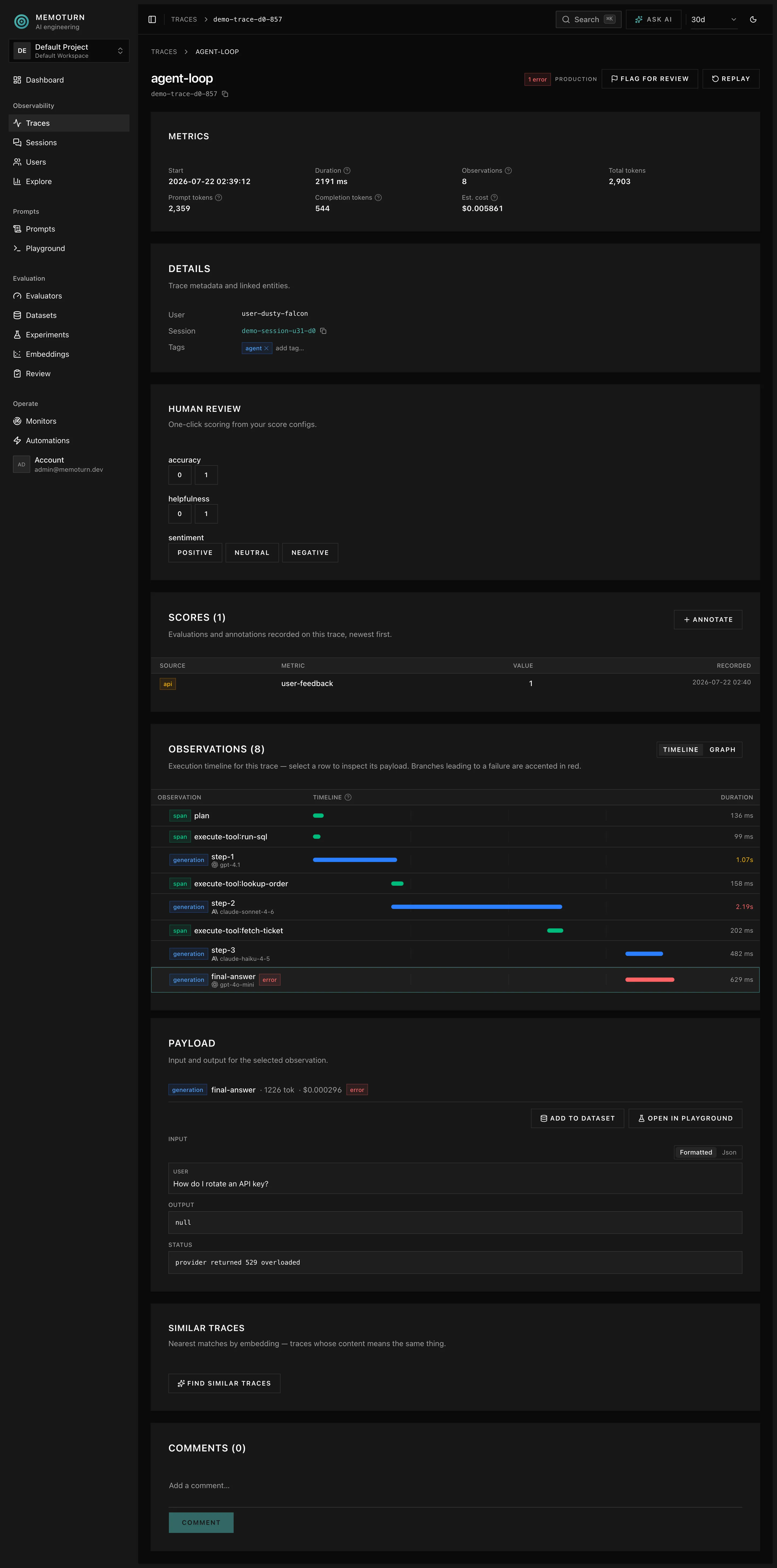
Section titled “Emit your first trace”bun run quickstart # TypeScript SDK → a trace with a span + generation + scorecd sdks/pythonMEMOTURN_PUBLIC_KEY=pk-mt-dev MEMOTURN_SECRET_KEY=sk-mt-dev uv run examples/quickstart.pyOpen http://localhost:3000/traces and click the trace to see the waterfall timeline and its scores.
Fill the dashboards with demo data
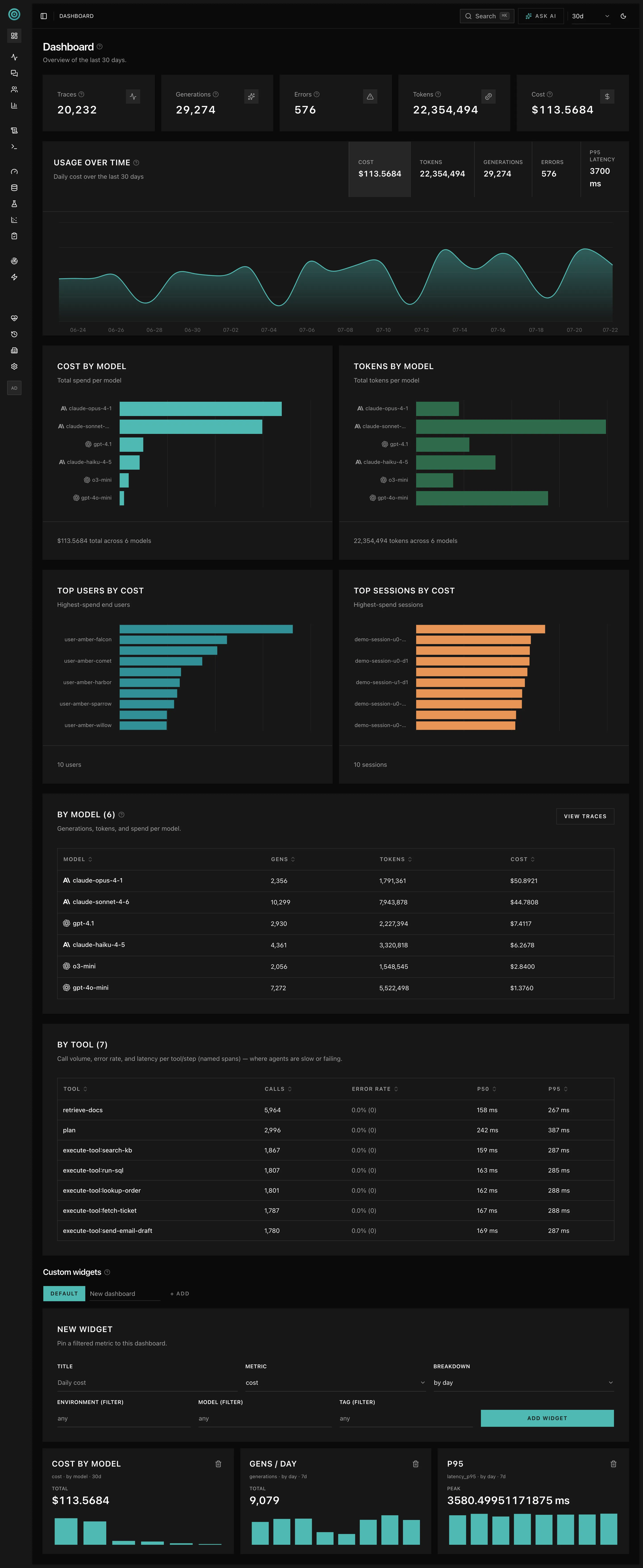
Section titled “Fill the dashboards with demo data”One trace makes for an empty dashboard. To exercise the metrics, trace list, and sessions
views with realistic volume, seed ~30 days of backdated demo telemetry (requires bun run dev
running — data flows through the real ingest pipeline):
bun run seed:demo # 30 days × ~1000 traces/daybun run seed:demo -- --days 7 --traces-per-day 100 # smaller/fasterbun run seed:demo -- --dry-run # generate + validate only, send nothingbun run seed:demo -- --wipe # wipe the project's telemetry firstThe run is deterministic (--seed): re-running on the same day replaces the same rows
instead of duplicating them. On a later day the seeded window shifts forward, so pass
--wipe to start clean — note that it deletes all of the project’s telemetry (not
just previously seeded rows) before seeding.
Common commands
Section titled “Common commands”bun run dev # run api + worker + console (turbo)bun run lint # Biome (format + lint + import order)bun run format # auto-fixbun run typecheckbun run testbun run buildbun run infra:down # stop the dependency containersNext: Architecture · Data model