
Prompt management
A versioned prompt registry with deployment channels.
- Versions are immutable — every save creates the next version.
- Channels are movable pointers.
latestalways tracks the newest version; you also deploy toproductionor custom labels. SDKs fetch by channel and cache nothing they shouldn’t (resolution is a simple authenticated GET).
Create / update a version
Section titled “Create / update a version”curl -u pk-mt-dev:sk-mt-dev -X POST http://localhost:3001/v1/prompts \ -H 'content-type: application/json' \ -d '{ "name": "support-reply", "type": "CHAT", "content": [ {"role":"system","content":"You are a concise agent for {{product}}."}, {"role":"user","content":"{{question}}"} ], "config": {"model":"claude-sonnet-4-6","temperature":0.2}, "labels": ["production"] }'labels point those channels at the new version; latest is always updated.
Resolve & compile (SDK)
Section titled “Resolve & compile (SDK)”const prompt = await getPrompt(creds, "support-reply", { channel: "production" });const messages = compilePrompt(prompt, { product: "memoturn", question: q });compilePrompt / compile_prompt substitute {{variable}} placeholders in both TEXT
(string) and CHAT (message list) prompts.
Composing prompts
Section titled “Composing prompts”A prompt embeds another by reference, so a shared preamble lives in one place instead of being copy-pasted into a dozen prompts (where it drifts) or concatenated in application code (where the registry can’t see it):
@@@memoturnPrompt:name=safety-preamble|label=production@@@
Answer the user's question about {{product}}.
Use |label=X to follow a channel (updating the shared prompt updates everything that includes
it — that’s the point) or |version=3 to pin. References are expanded server-side at resolve
time, so every SDK gets composition without an upgrade, and the raw body with its references
intact is still what the detail endpoint and the console editor show.
Guardrails, all enforced at save time so a broken prompt is a 400 you see immediately rather
than a failure in someone’s request path:
- Cycles are refused — direct (
aincludesa) or indirect (a → b → c → a), with the path named in the error. - Nesting deeper than 5 is refused, even when nothing repeats.
- A referenced prompt must be TEXT: its body is spliced into a string, and a message array has no meaningful rendering there. This one is checked at resolve time too, since the target can be retyped after the referring prompt was written.
Cycle detection at save time accounts for the channels the new version is about to occupy, so
saving a → b when b → a already exists is refused even though a’s current body is
innocent. Resolution keeps its own check anyway: if a reference breaks later — the target is
renamed, retyped, or deleted — resolving returns 422 naming the full path, because the
prompt exists but can’t be assembled.
Chat placeholders
Section titled “Chat placeholders”A {{variable}} substitutes one string. Chat history and retrieved few-shot examples are a
list of messages with roles, which no variable can express — so a CHAT prompt can reserve a
slot instead:
[ { "role": "system", "content": "You are a support agent." }, { "type": "placeholder", "name": "history" }, { "role": "user", "content": "{{question}}" }]Fill it (and any variables) in one call:
curl -u pk-mt-dev:sk-mt-dev -X POST http://localhost:3001/v1/prompts/support-reply/compile \ -H 'content-type: application/json' \ -d '{"variables":{"question":"where is my order?"}, "placeholders":{"history":[{"role":"user","content":"hi"},{"role":"assistant","content":"hello"}]}}'Doing this server-side means every language gets placeholders today, without waiting on three
SDK releases. An unfilled slot is dropped, not left in the output: a history slot on the
first turn has nothing to put there, and shipping a literal {"type":"placeholder"} to a
provider would fail at the worst moment. An unknown {{variable}} is left as written, so it’s
visible in the output rather than silently becoming an empty string.
GET /v1/prompts/{name} also reports the slot names it still expects, in placeholders.
Prompt CI/CD
Section titled “Prompt CI/CD”Saving a version and promoting a label are events other systems should be able to react to —
promoting production is a deploy, and a deploy should be able to kick a workflow the same way
a git push does. Three automation triggers cover it:
| Trigger | Fires when |
|---|---|
prompt.created | the first version of a new prompt is saved |
prompt.updated | any subsequent version is saved |
prompt.label.moved | a label that pointed at one version now points at another |
latest moves on every save, so it is not treated as a deploy on its own — only the labels
you actually promote fire prompt.label.moved.
The github action sends a repository_dispatch,
which is how you start a workflow from outside GitHub. target is owner/repo and the token is
a PAT with repo scope, stored encrypted and never returned by the API:
{ "name": "rerun-evals-on-deploy", "trigger": "prompt.label.moved", "action": "github", "target": "acme/ci", "secret": "ghp_…", "filter": "support-" }The event type is the trigger with dots replaced by dashes, which is what a workflow’s types:
filter matches:
on: repository_dispatch: types: [memoturn-prompt-label-moved]The payload carries { name, version, labels, projectId }, so the workflow knows which prompt
moved and to what. Pair it with the dataset CI gate (mt eval) and promoting a prompt label
runs your eval suite against the new version automatically.
Dispatch is best-effort and non-blocking: an automation target that is down never fails the save. The version is already committed by then, and losing the write to a notification failure would be the worse outcome.
In the console
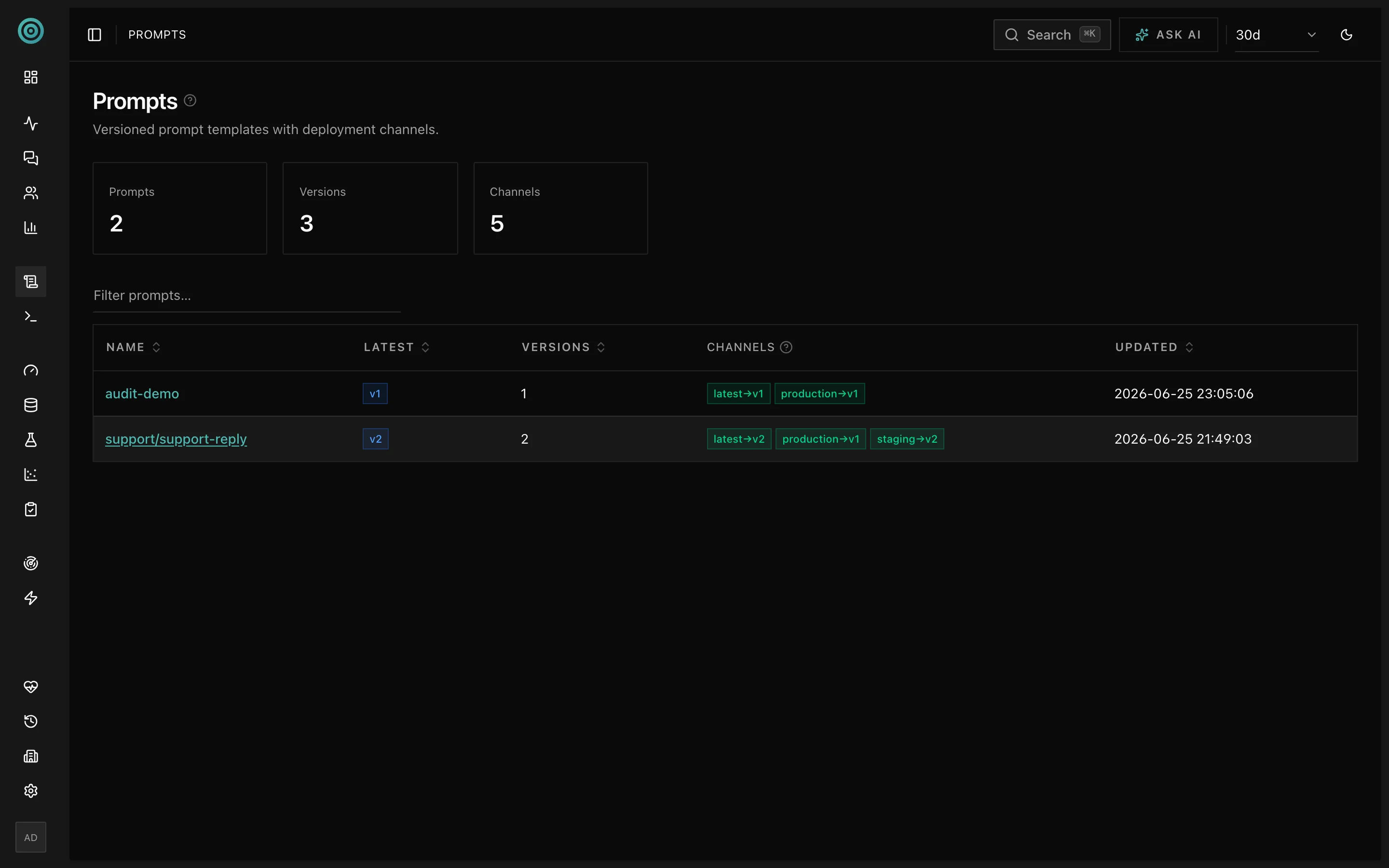
Section titled “In the console”The Prompts page lists prompts with their channels and latest version; the detail view shows every version, which channels point at it, and the content + config.
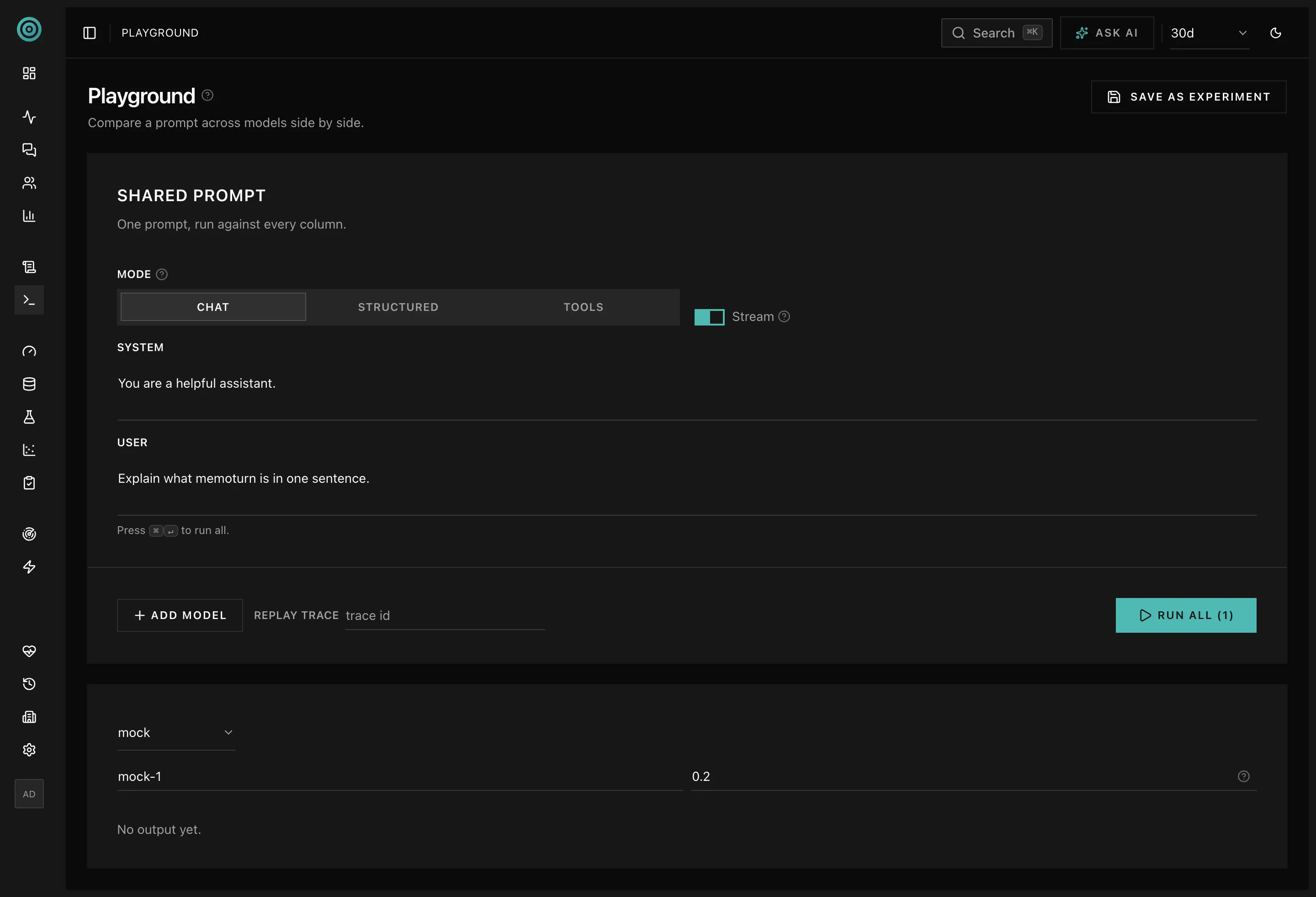
Iterate on a prompt in the Playground before promoting it — every run is recorded as a trace:
See the API: /v1/prompts.